File:Download images.jpg: Difference between revisions


No edit summary |
No edit summary |
||
| Line 1: | Line 1: | ||
<blockquote> | <blockquote> | ||
'''''Figure:''' '''[[Component menu#Download images|Download images]]''' (Ctrl+F8) makes it possible to download remote images referred to in the HTML code of an [[HTML component]] and import them into the image [[Glossary:Registry|registry]]. In the picture, pictures to illustrate the [https://en.wikipedia.org/wiki/Donald_Trump Donald Trump] article from [http://en.wikipedia.org Wikipedia] are being downloaded. At first, images are snapped from the browser renderer as thumbs. Full size images are downloaded in parallel. 5 images of the 34 listed have already been downloaded (as indicated in the caption) while the other 2 are still being downloaded (marked with → followed by the current download progress, i.e. 27.9% and 38.2% completed). You can illustrate the [[Glossary:Element|element]] with the thumbs or you can wait until the full images are downloaded. On an average speed connection, images usually download faster than you can review them. In other words, unlike in SuperMemo 16, you usually do not need to wait for image downloads.'' | '''''Figure:''' '''[[Component menu#Download images|Download images]]''' (Ctrl+F8) makes it possible to download remote images referred to in the HTML code of an [[HTML component]] and import them into the image [[Glossary:Registry|registry]]. In the picture, pictures to illustrate the [https://en.wikipedia.org/wiki/Donald_Trump Donald Trump] article from [http://en.wikipedia.org Wikipedia] are being downloaded. At first, images are snapped from the browser renderer as thumbs. Full size images are downloaded in parallel. 5 images of the 34 listed have already been downloaded (as indicated in the caption) while the other 2 are still being downloaded (marked with → followed by the current download progress, i.e. 27.9% and 38.2% completed). You can illustrate the [[Glossary:Element|element]] with the thumbs or you can wait until the full images are downloaded. On an average speed connection, images usually download faster than you can review them. In other words, unlike in SuperMemo 16, you usually do not need to wait for image downloads. '''Insert''' will insert the picture to illustrate the article and all its [[Glossary:Extract|extracts]] and [[Glossary:Cloze_deletion|clozes]]. The remaining thumbs will be available for download in all portions of the text that refer to their corresponding images.'' | ||
</blockquote> | </blockquote> | ||


Revision as of 18:46, 2 April 2016
Figure: Download images (Ctrl+F8) makes it possible to download remote images referred to in the HTML code of an HTML component and import them into the image registry. In the picture, pictures to illustrate the Donald Trump article from Wikipedia are being downloaded. At first, images are snapped from the browser renderer as thumbs. Full size images are downloaded in parallel. 5 images of the 34 listed have already been downloaded (as indicated in the caption) while the other 2 are still being downloaded (marked with → followed by the current download progress, i.e. 27.9% and 38.2% completed). You can illustrate the element with the thumbs or you can wait until the full images are downloaded. On an average speed connection, images usually download faster than you can review them. In other words, unlike in SuperMemo 16, you usually do not need to wait for image downloads. Insert will insert the picture to illustrate the article and all its extracts and clozes. The remaining thumbs will be available for download in all portions of the text that refer to their corresponding images.
File history
Click on a date/time to view the file as it appeared at that time.
| Date/Time | Thumbnail | Dimensions | User | Comment | |
|---|---|---|---|---|---|
| current | 18:25, 2 April 2016 | 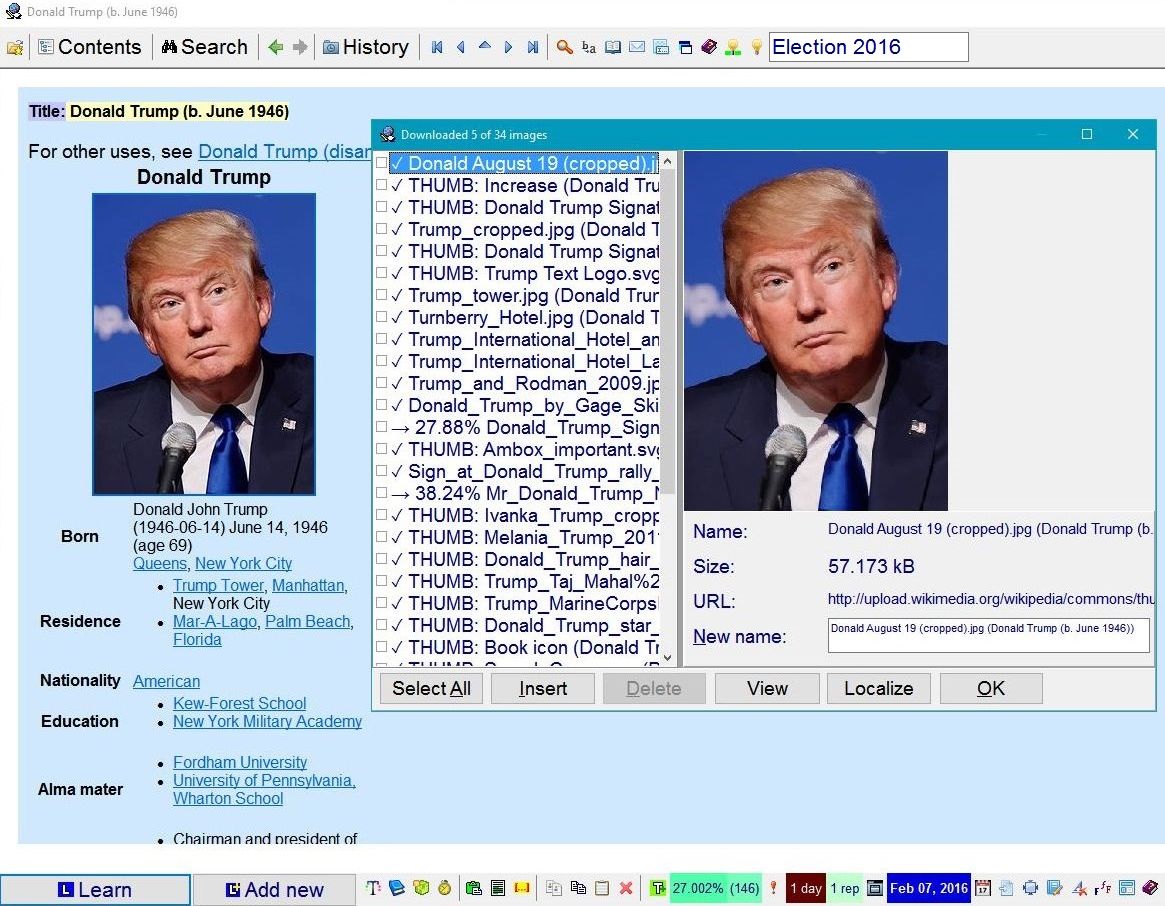 | 1,165 × 906 (202 KB) | SuperMemoHelp (talk | contribs) | |
| 13:08, 26 October 2013 |  | 1,434 × 900 (249 KB) | SuperMemoHelp (talk | contribs) | ||
| 02:32, 22 April 2009 | 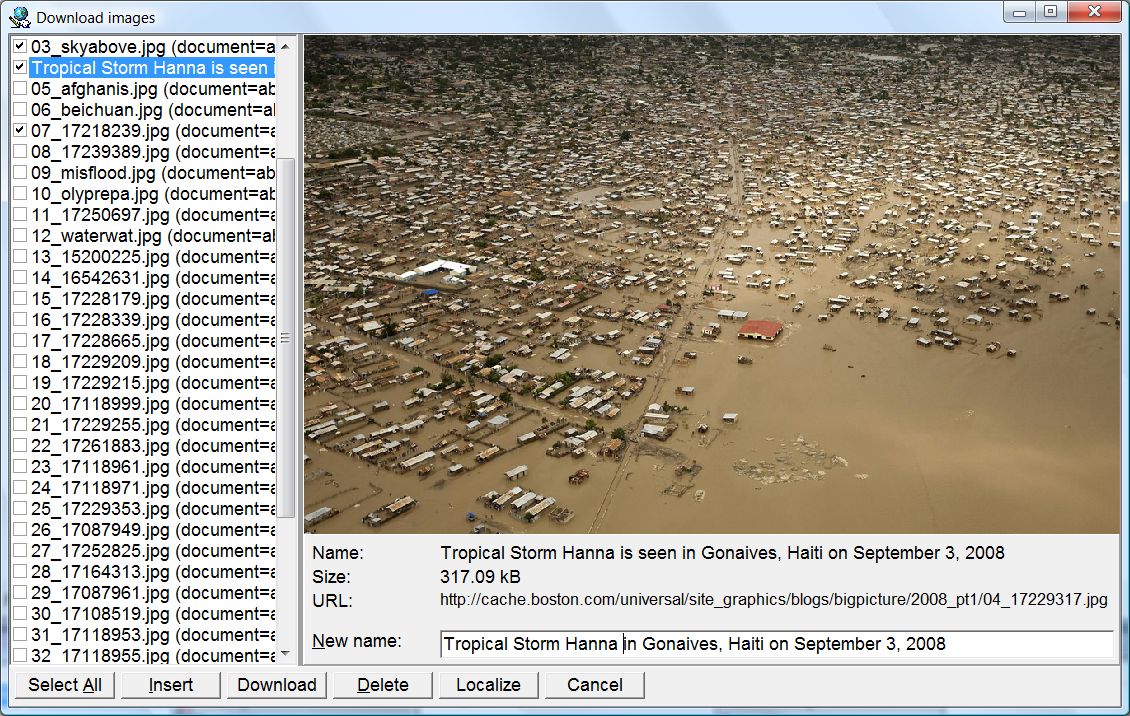 | 1,130 × 716 (276 KB) | WikiSysop (talk | contribs) | Download images dialog box that makes it possible for you to get images embedded in local pages imported from the net and put them to the image registry (in the picture: The Year 2008 in Photographs from Boston.com) |
You cannot overwrite this file.
File usage
The following 6 pages use this file:
