File:Email response.jpg: Difference between revisions
Jump to navigation
Jump to search

mNo edit summary |
Expanding the description |
||
| (3 intermediate revisions by 2 users not shown) | |||
| Line 1: | Line 1: | ||
Reading : E-mail FAQ | You can edit your FAQs in the HTML component. Use '''Reading : Split : Insert splitmark''' on the [[component menu]] to separate question from answer with a splitmark. Once the FAQ is largely complete, select both the question and the answer, and select ''' Reading : E-mail FAQ''' from the [[component menu]] to polish its HTML, preview it in the WYSIWYG mode, and send it. The FAQ will be sent as a reply, and stored in FAQ files (as HTML and/or Wiki)(in the picture: The '''E-mail response''' dialog box (available with '''Reading : E-mail FAQ''' on the [[component menu]] in the '''Source''' mode). | ||


Latest revision as of 09:30, 11 August 2011
You can edit your FAQs in the HTML component. Use Reading : Split : Insert splitmark on the component menu to separate question from answer with a splitmark. Once the FAQ is largely complete, select both the question and the answer, and select Reading : E-mail FAQ from the component menu to polish its HTML, preview it in the WYSIWYG mode, and send it. The FAQ will be sent as a reply, and stored in FAQ files (as HTML and/or Wiki)(in the picture: The E-mail response dialog box (available with Reading : E-mail FAQ on the component menu in the Source mode).
File history
Click on a date/time to view the file as it appeared at that time.
| Date/Time | Thumbnail | Dimensions | User | Comment | |
|---|---|---|---|---|---|
| current | 09:29, 11 August 2011 | 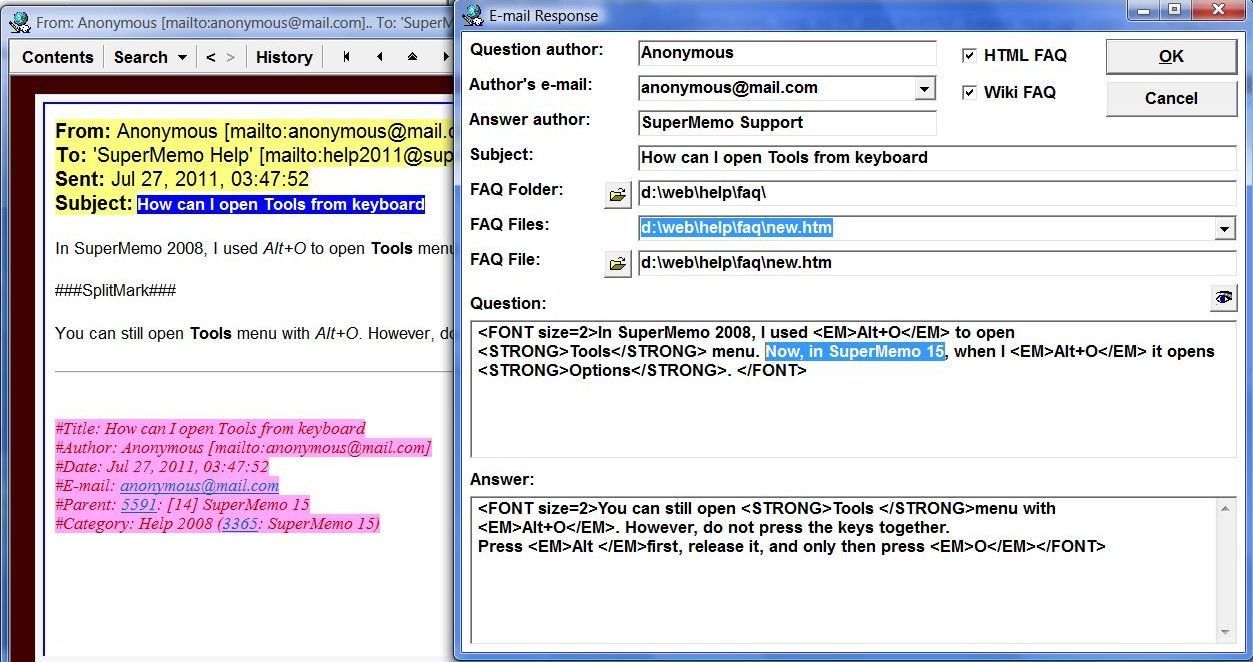 | 1,253 × 662 (163 KB) | SuperMemoHelp (talk | contribs) | You can edit your FAQs in the HTML component. Use '''Reading : Split : Insert splitmark''' on the component menu to separate question from answer with a splitmark. Once the FAQ is largely complete, select both the question and the answer, and select ' |
| 02:20, 29 August 2009 | 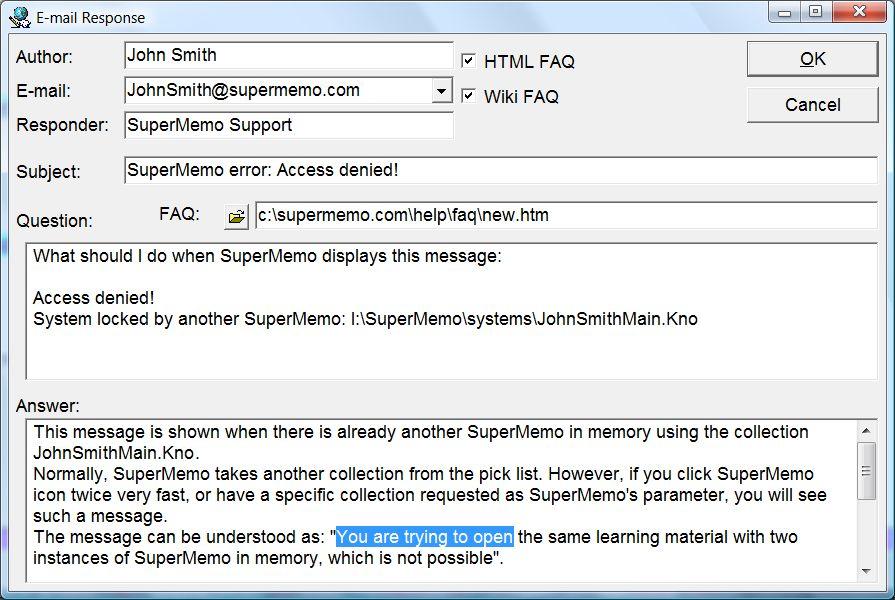 | 895 × 600 (102 KB) | WikiSysop (talk | contribs) | Reading : E-mail FAQ on the component menu makes it possible to use the selected text as a question in an FAQ. The FAQ will be sent as a reply, and stored in FAQ files (as HTML and/or Wiki). | |
| 03:37, 25 April 2009 |  | 895 × 600 (115 KB) | WikiSysop (talk | contribs) | Reading : E-mail FAQ makes it possible for you use the selected text as the foundation of an FAQ and send the answer to the author of the question while your response will automatically be added to an FAQ file of your choice |
You cannot overwrite this file.
File usage
The following 3 pages use this file:
